Blog
Blog

 About us
 Instagram QB Tools
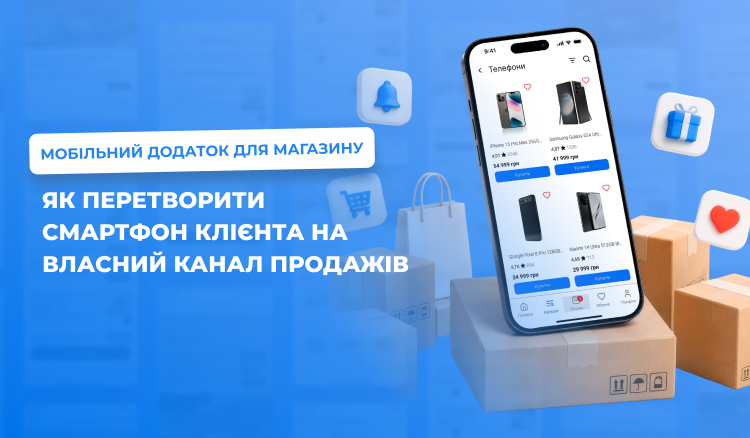
A buyer has long been used to making purchases from a smartphone.
They compare products, read reviews, look for promotions, arrange delivery and pay for purchases online.
Therefore for a modern store a mobile application is no longer just an additional option.
It is a way to create your own digital store in the client’s smartphone.
This is especially relevant for companies that have an online store, offline sales points or a chain.
Why a store needs its own mobile application
The main advantage of an application is direct contact with the buyer.
When a client installs an application, the store gets an additional channel for:
- sales;
- promotions;
- loyalty programs;
- repeat purchases;
- personal offers;
- communication;
- collecting reviews.
Unlike advertising, which requires a constant budget, an application remains in the client’s smartphone.
From catalog to purchase — in a few actions
A mobile store must be as simple as possible.
A client opens the application, finds a category, chooses a product, adds it to the cart and places an order.
But a modern application can make this path even shorter.
For example, the system can show:
- recommended products;
- popular items;
- products the client bought earlier;
- promotional offers;
- personal offers.
As a result the application becomes not just a catalog, but a digital salesperson.
Which stores can use a mobile application
Such a solution is suitable for different business categories.
For example:
- clothing stores;
- footwear and accessories;
- cosmetics;
- perfumery;
- pet products;
- children’s products;
- home goods;
- auto parts;
- specialized stores.
QB Tools directly positions the mobile solution for stores with online and offline sales points or chains.
Delivery and takeaway
It is important for the buyer to have a choice.
They may want:
to receive the product by courier;
or
pick it up themselves.
Therefore a store’s mobile application must support both scenarios.
QB Tools provides automation of delivery and takeaway, online payment, calculation of delivery cost, as well as integration with Nova Poshta delivery.
This allows reducing the manual work of managers.
Product modifiers
Not every product has one variant.
A client may have a choice of:
- color;
- size;
- volume;
- configuration;
- additional characteristics.
A mobile application must allow showing these parameters without a complex interface.
This is especially important for fashion, cosmetics, home goods and other categories.
Loyalty that works online and offline
One of the strongest functions for a store is a single loyalty program.
A client can receive bonuses during a purchase in an offline store and use them when ordering through a mobile application.
Thus online and offline cease to be two different businesses.
They unite around one client.
QB Tools provides a single bonus account for the store, website and mobile application.
Push notifications instead of endless advertising
Imagine a store that has 10,000 regular clients.
To attract them again through advertising, you will have to spend a marketing budget.
And a mobile application allows communicating with the audience directly.
For example:
“Only today -20%.”
“A new collection is already on sale.”
“Your bonuses will soon expire.”
“To your order it remains to add 200 UAH for free delivery.”
Such messages can stimulate repeat sales.
Automation of reviews
After a purchase a client can receive an offer to leave a review.
This allows the store to systematically collect information about the quality of service and products.
And if a negative review comes directly to the business, the company gets a chance to react even before the problem turns into public negativity.
In QB Tools this scenario is connected with the QR BOSS service.
An app as part of CRM and accounting
Another important advantage is that a mobile application should not exist separately from the business management system.
Catalog, orders, clients, stock, bonuses and analytics should be synchronized.
QB Tools provides work with the accounting system, warehouse, catalog, orders and sales analytics.
This allows the business to see not only “how many orders were made”, but a wider picture.
Why rental can be more interesting than individual development
Creating a mobile application from scratch is a separate IT project.
Design, programming, testing, publication, server infrastructure, updates and support are needed.
For many stores such a model is excessively expensive.
A ready-made application allows using an already created platform.
On the page “Mobile application for your store” QB Tools offers a rental format of a mobile application for orders and loyalty.
The business pays for a ready-made tool, and not finances the entire process of its creation from scratch.
What changes for the business after launch
The store gets:
its own mobile sales channel;
direct communication with clients;
a loyalty system;
online orders;
delivery and takeaway;
online payment;
collection of reviews;
analytics.
And most importantly — the possibility to build long-term relationships with clients.
The future of a store is not only in the sales floor
An offline store is not disappearing anywhere.
On the contrary, it can become part of an omnichannel model.
A client saw a product in the store.
Viewed it in the application.
Ordered online.
Picked it up as takeaway.
Received bonuses.
Next time received a personal offer.
This is how digital tools turn individual sales into a system.
If you want to launch your own digital sales channel without multi-year development, check out the QB Tools solution for a store’s mobile application.
A ready-made mobile application can become the next step in the digitalization of your store.

 Support chat