Blog

 About us
 Instagram QB Tools
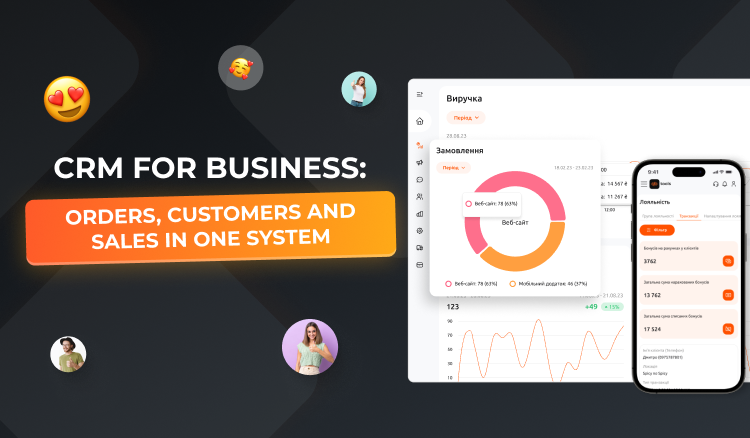
As a business grows, the number of orders, customers and daily operations keeps increasing. Information ends up scattered across spreadsheets, messages, accounting software and chats. As a result, it becomes harder for employees to keep processes under control and harder for managers to assess the company’s real performance.
A CRM system helps bring key information together in one place, automate routine operations and make business management more transparent.
What is a CRM and why does a business need one?
A CRM is a system for managing interactions with customers, orders and sales. Depending on the software’s capabilities, it can also help track stock levels, financial metrics, loyalty programs and the performance of individual points of sale.
A CRM is especially relevant for companies that handle a large number of orders or sell through several channels: physical stores, an online store, a mobile app and delivery.
Key benefits of a CRM system:
- Centralized information. Customer, product and order data is stored in a single environment.
- Order control. Employees can track order statuses and respond to changes on time.
- Automated operations. Less time is spent on manually transferring information and repetitive tasks.
- Sales analytics. Managers get tools to evaluate revenue, average order value and other metrics.
- Customer experience management. Information about purchases, reviews and loyalty program participation helps you better understand customer needs.
How does a CRM help control sales?
Without a centralized system, order information can come from many different sources. Managers receive some of the data through the website, and the rest through phone calls, messengers or the mobile app.
This makes control harder and creates a risk of errors. For example, an order may go unanswered, an employee may not update its status in time, or a customer may not receive up-to-date information.
A CRM helps structure this process: collect orders, store customer information, track fulfillment and analyze results. The specific capabilities depend on the chosen system and integration settings.
QB CRM: business management in one place
For companies that need a tool for centralized management of their operations, QB Tools offers QB CRM.
The solution is designed for working with orders, customers, the product catalog, stock levels, loyalty programs and analytics. It can also be useful for businesses with several points of sale that need to see the full picture of the company’s performance.
You can learn more about the system’s capabilities on the QB CRM page.
CRM and automation: where to start?
To get practical value from a CRM, start by analyzing your current business processes.
- Identify the main problems. Find out where delays occur most often: when accepting orders, processing payments, managing the warehouse or communicating with customers.
- Choose priority processes. You don’t have to automate everything at once. Start with the tasks that take the most time or most often lead to errors.
- Check integration options. If your business already uses a website, an app, payment services or other accounting systems, it’s important to understand how they will work with the CRM.
- Train your team. The system’s effectiveness depends not only on its functionality but also on how consistently employees use it in their work.
- Track the results. Compare metrics before and after implementation: order processing time, number of errors, speed of service and sales dynamics.
Conclusion
A CRM system helps a business organize information, simplify order management and gain more control over sales. It becomes especially useful when a company develops several sales channels or manages multiple points of sale.
QB Tools helps businesses automate operational processes with digital tools. Explore the capabilities of QB CRM to see which tasks can be optimized in your company.
 Support chat