Blog

 About us
 Instagram QB Tools
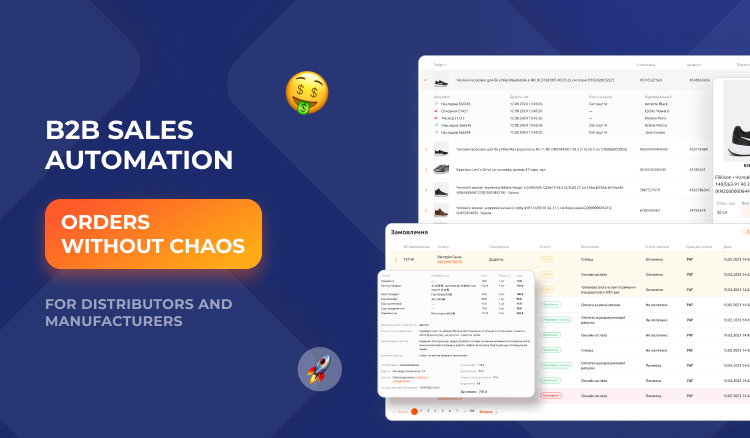
For manufacturers, wholesalers and distributors, sales performance depends on more than product range and prices. It’s also important to accept orders quickly, control stock levels, coordinate the work of sales managers and provide partners with up-to-date information.
As the number of customers grows, processing orders manually becomes increasingly difficult. Data comes in by phone, email and messengers, employees re-enter it into spreadsheets, and management struggles to get a full picture of sales.
Automating B2B processes helps organize these operations and lays the foundation for scaling the business.
What problems arise in B2B sales?
In the traditional model, a customer contacts a manager, checks product availability, agrees on quantities and places an order. The manager verifies the information, records the agreement and passes the data on to other employees.
Delays and errors can occur at every stage.
The most common problems:
- orders come in through different channels and are stored in different places;
- managers spend a lot of time on repetitive operations;
- stock information may be updated with a delay;
- it’s hard to track order statuses;
- management lacks real-time sales analytics;
- a growing customer base requires additional team resources.
These difficulties don’t necessarily mean a company needs a complex custom system. It’s often worth starting by automating the most labor-intensive processes.
How do digital tools help distributors?
1. They centralize order management
When orders are recorded in a single system, it’s easier for employees to check their statuses, find the information they need and track fulfillment.
Centralized accounting also reduces dependence on personal spreadsheets and individual managers’ messages.
2. They simplify product range and stock management
For wholesale companies, it’s important to know which products are available to order and in what quantities. Up-to-date catalog and warehouse information helps reduce errors when placing orders.
If the system supports the relevant features, employees can manage product items, control stock levels and view product movement information in one environment.
3. They help manage the customer base
The history of orders and interactions with partners makes it possible to better understand customer needs, plan managers’ work and maintain regular communication.
A CRM system helps make information available to the team instead of keeping it only in employees’ personal notes.
4. They make sales transparent
Analytics lets you evaluate order volumes, revenue, sales dynamics and other metrics available in a particular system.
This helps managers identify promising areas, assess performance and spot processes that need improvement.
QB Tools for business and distribution automation
QB Tools develops digital solutions for different types of businesses, including wholesalers and distributors.
The QB Tools ecosystem includes tools for managing orders, the catalog, stock levels, customers and analytics. In particular, QB CRM helps centralize accounting and control key operational processes.
For companies that need a specialized digital platform tailored to their own business processes, custom software development may also be relevant.
The choice between a ready-made solution and custom development depends on the complexity of processes, required integrations, number of users and the company’s specific requirements.
How to implement automation without unnecessary costs?
For automation to deliver value, it’s important to set the right priorities.
- Analyze your current sales process. Determine how orders come in from customers, who processes them and where delays occur.
- Identify the most important features. For some companies the priority will be a CRM, for others warehouse or catalog management, or online order integration.
- Check compatibility with existing systems. Before implementation, find out how the new tool will work with accounting software, the website and the company’s other services.
- Roll out the solution in stages. Start with one process or department, check the results and only then expand the use of the system.
- Measure effectiveness. Track order processing time, number of errors, fulfillment speed and sales dynamics.
Conclusion
B2B sales automation helps distributors and manufacturers organize order management, improve stock control and make sales management more transparent.
Digital tools are especially important for companies that are expanding their customer base, growing their product range or working with several sales channels.
QB Tools offers solutions for automating business processes and managing sales. Explore the capabilities of QB CRM and find the tools that will help your company simplify daily work and prepare for further growth.

 Support chat